Hướng đẫn kích hoạt tính năng Captive Portal trên Firewall Fortigate
Hướng đẫn kích hoạt tính năng Captive Portal trên Firewall Fortigate
Bước 1. Khởi tạo các User cục bộ tại Firewall.
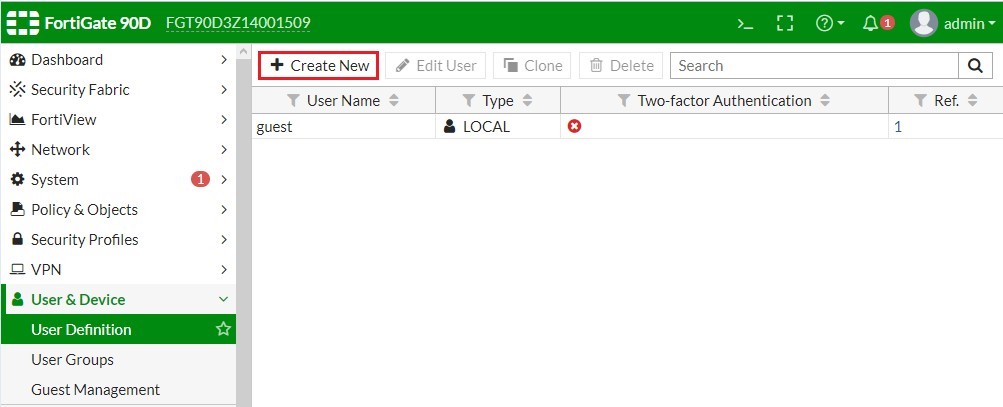

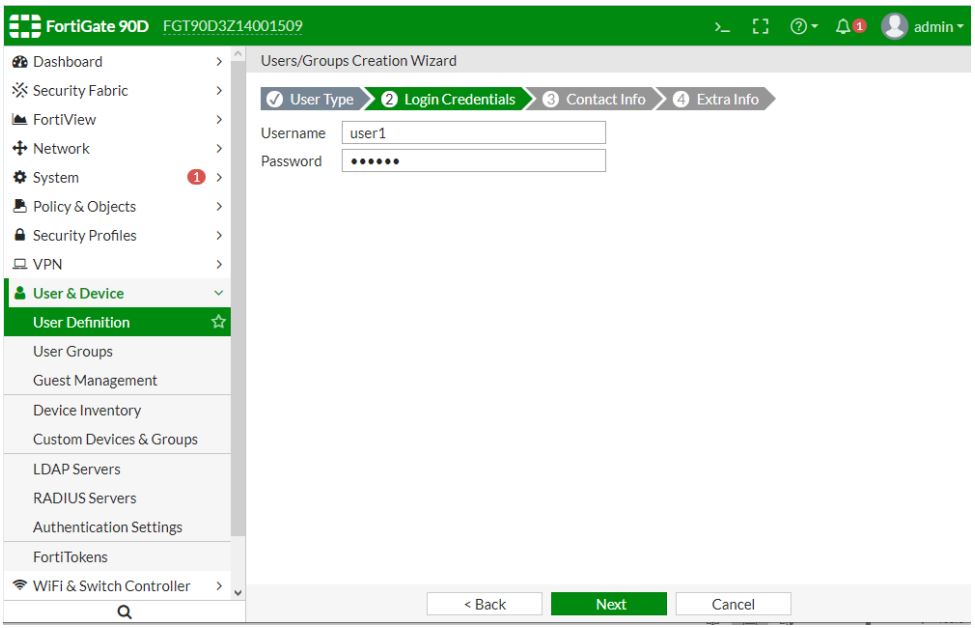
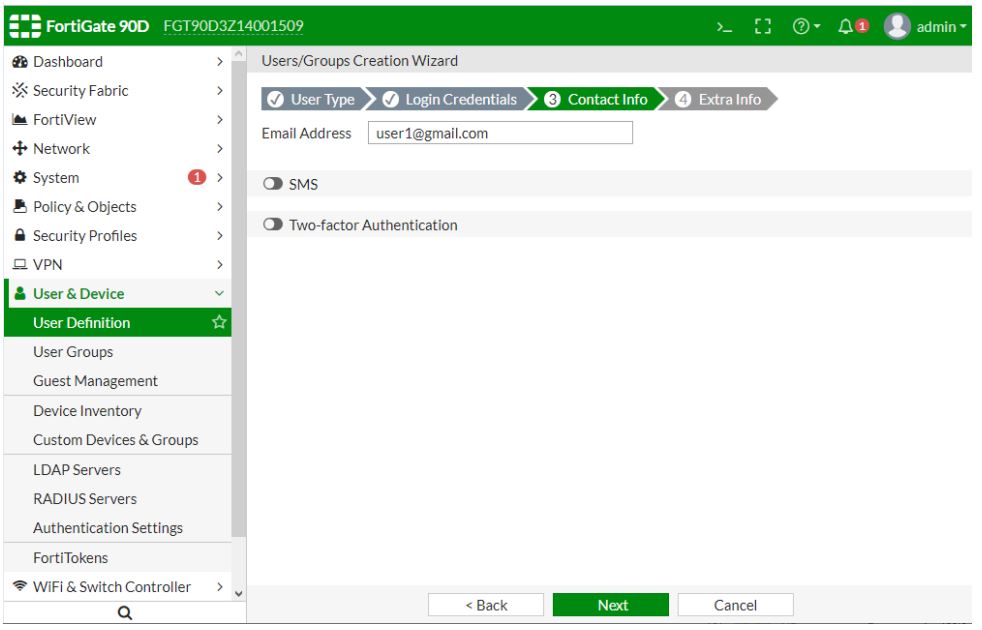

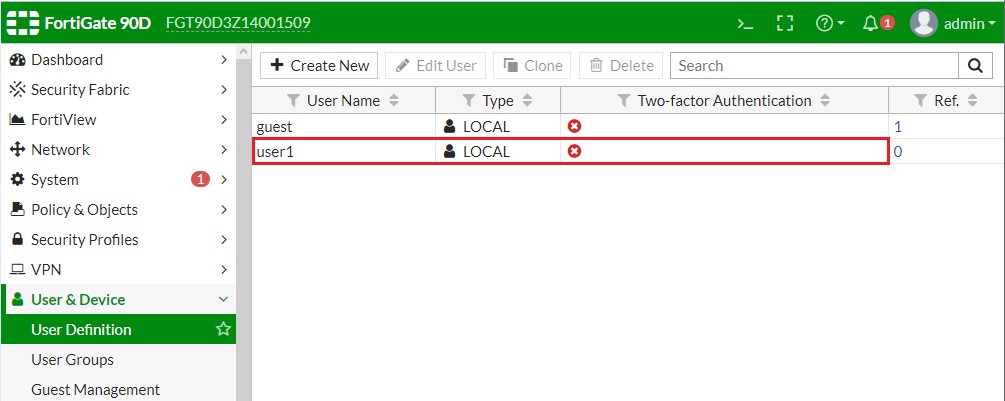
Bước 2. Khởi tạo Group và quy hoạch User vào Group tương ứng.
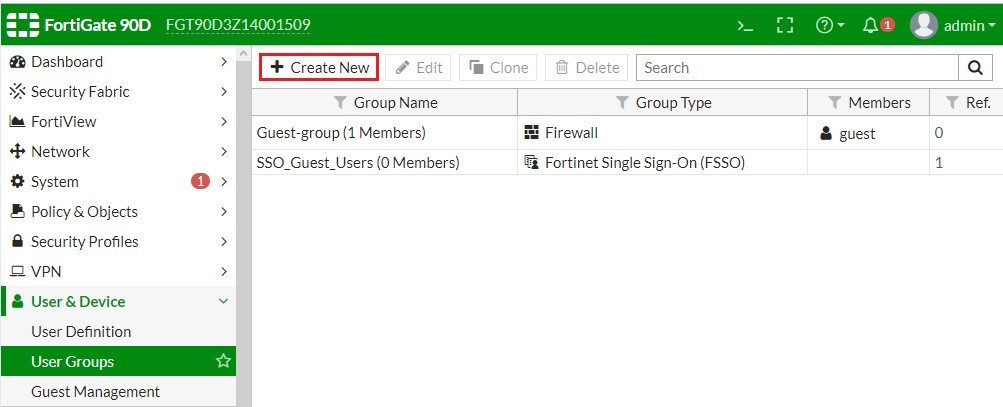
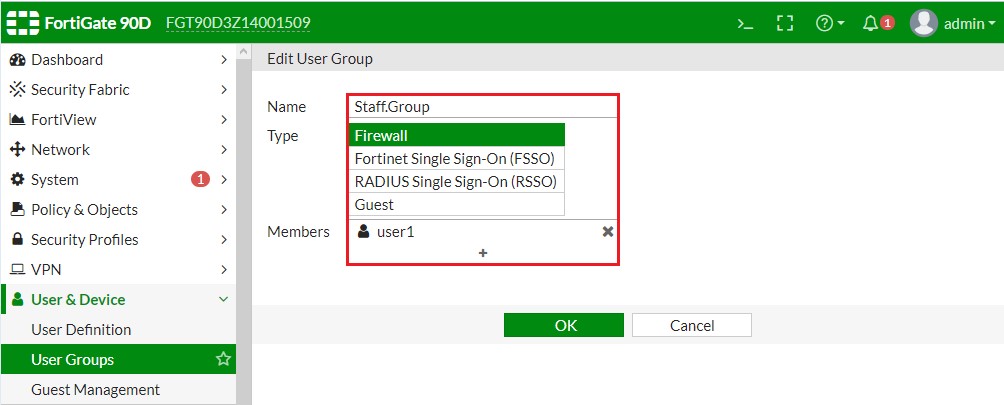
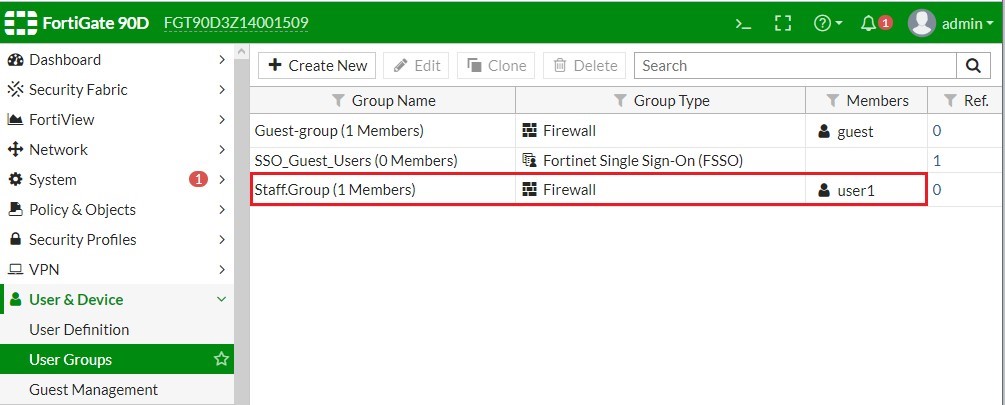
Bước 3. Kích hoạt tính năng Captive Portal trên Interface.


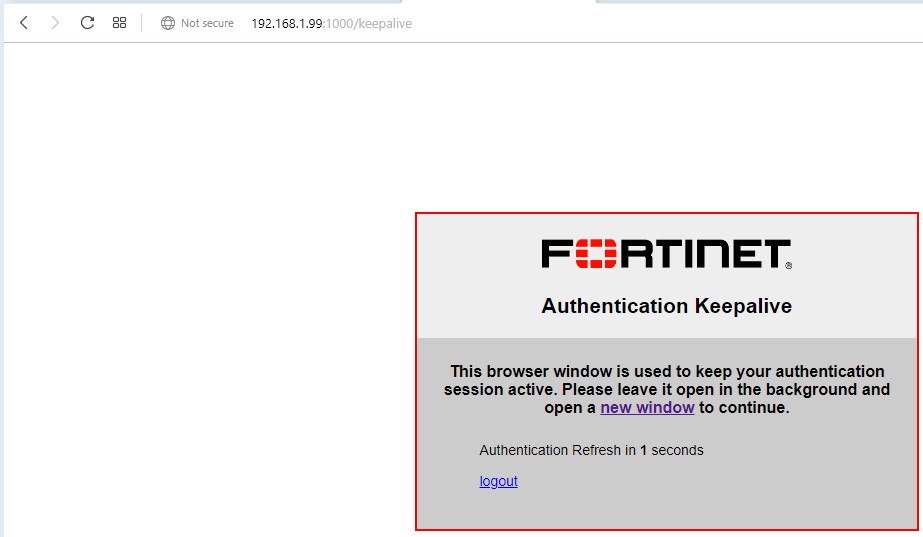
Bước 4. Quá trình User đăng nhập vào Captive Portal trên Firewall. Khi End User truy cập vào bất kỳ website nào đều bắt phải đăng nhập.


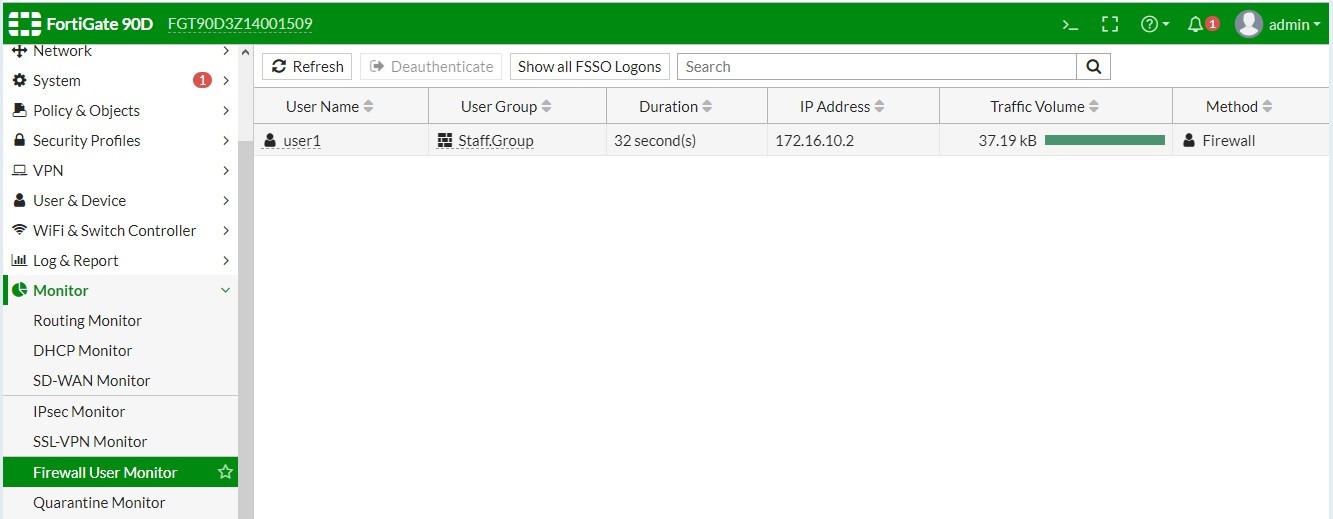
Bước 5. Giám sát các User nào đã đăng nhập thành công bằng Captive Portal.
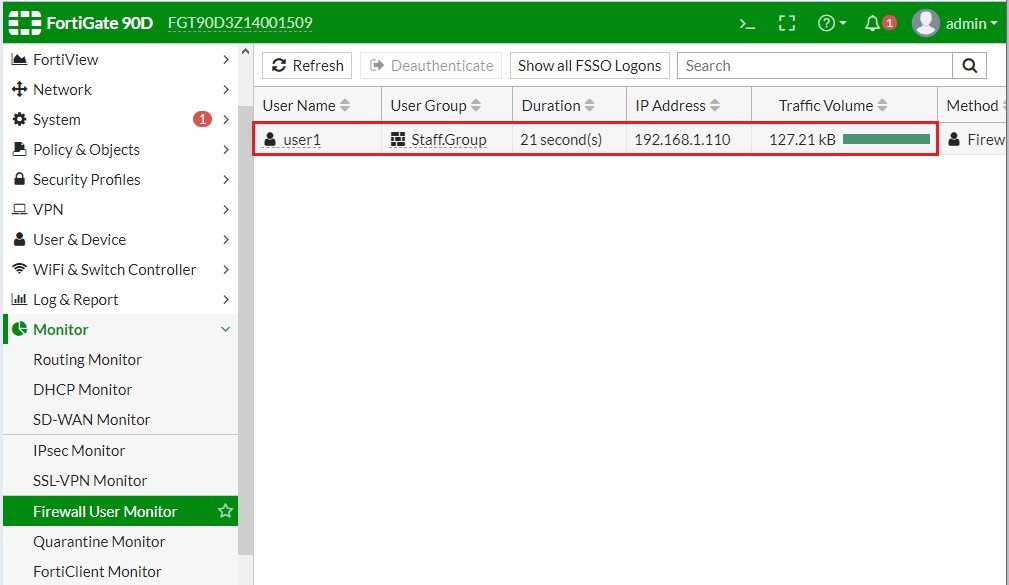
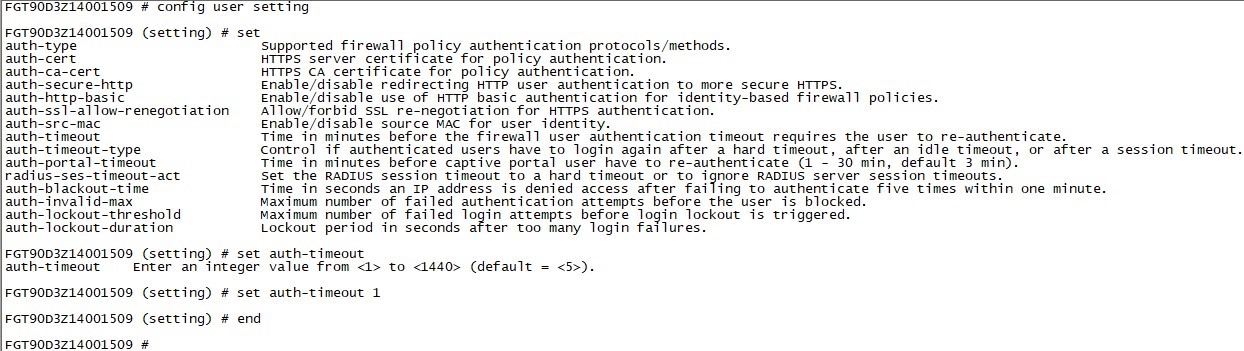
Bước 6. Hiệu chỉnh tính năng và timer Auto Logout cho các End User.
|
FGT90D3Z14001509 # config system global FGT90D3Z14001509 (global) # set auth-keepalive enable FGT90D3Z14001509 (global) # end FGT90D3Z14001509 # |
- Sau 1 phút End User phải đăng nhập lại từ đầu.
|
FGT90D3Z14001509 # config user setting FGT90D3Z14001509 (setting) # set auth-timeout 1 FGT90D3Z14001509 (setting) # end FGT90D3Z14001509 # |
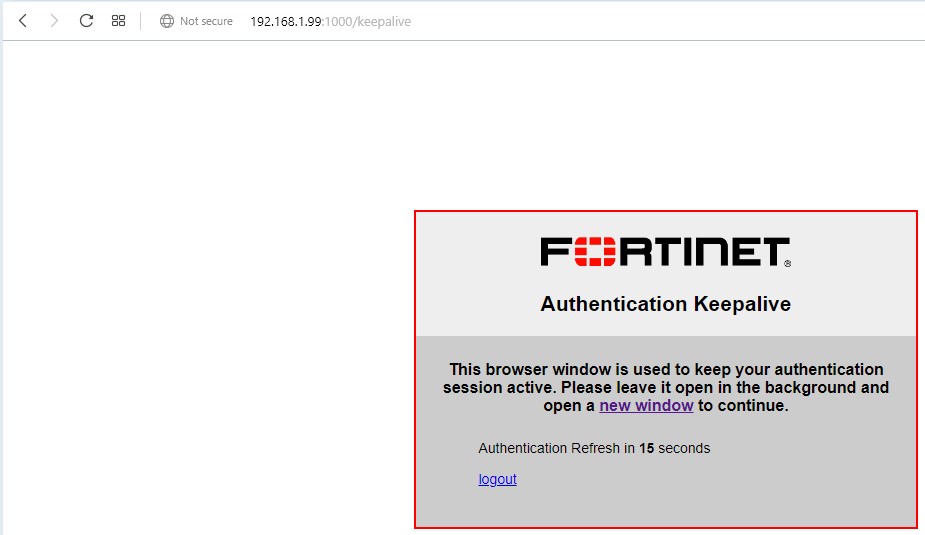
Nếu End User không tắt cửa sổ Login thì Authentication Session sẽ không bị Logout.
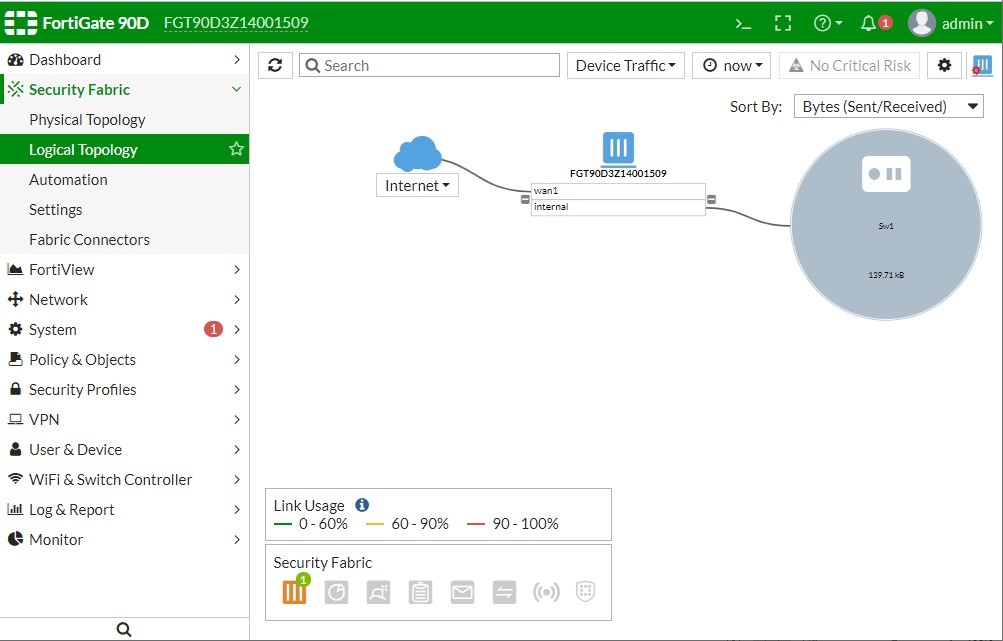
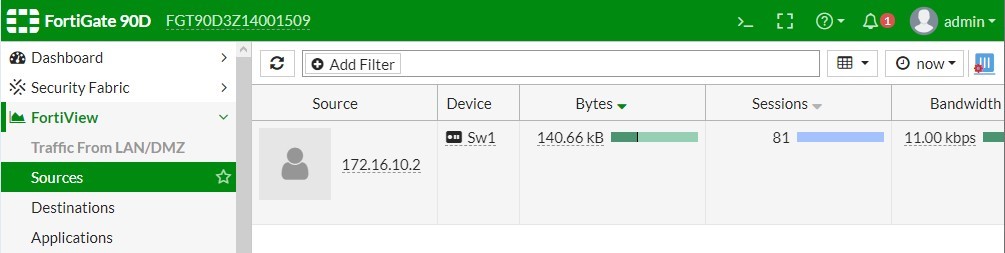
Bước 7. Khảo sát mô hình các End User không kết nối trực tiếp tới Firewall Fortigate.
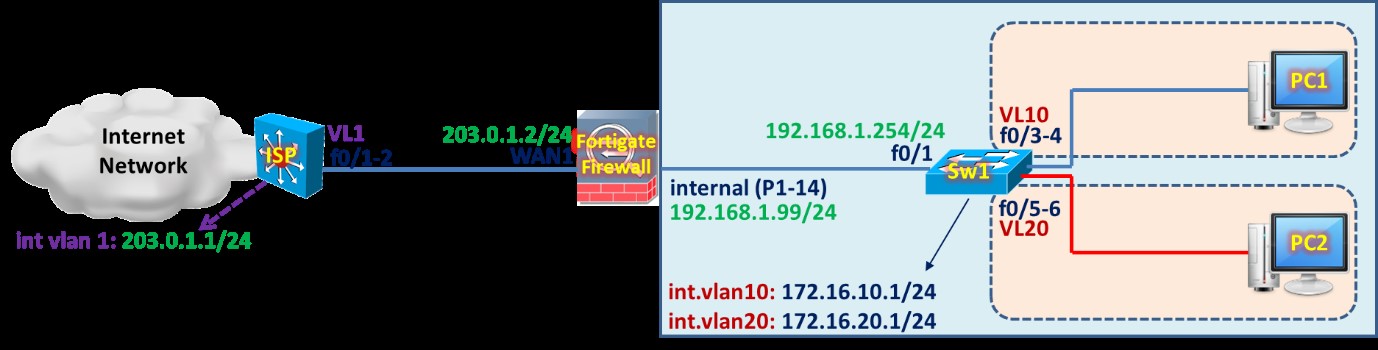
Cấu hình trên Sw1.
|
hostname Sw1
vlan 10 exit vlan 20 exit interface vlan 10 ip address 172.16.10.1 255.255.255.0 no shutdown exit ip dhcp excluded-address 172.16.10.1 ip dhcp pool VLAN10 network 172.16.10.0 255.255.255.0 default-router 172.16.10.1 dns-server 8.8.4.4 exit ip dhcp excluded-address 172.16.20.1 ip dhcp pool VLAN20 network 172.16.20.0 255.255.255.0 default-router 172.16.20.1 dns-server 8.8.4.4 exit interface vlan 20 ip address 172.16.20.1 255.255.255.0 no shutdown exit interface range f1/0/1-2 switchport mode access switchport access vlan 10 spanning-tree portfast exit interface range f1/0/3-4 switchport mode access switchport access vlan 20 spanning-tree portfast exit interface f1/0/24 no switchport ip address 192.168.1.254 255.255.255.0 no shutdown exit ip routing ip route 0.0.0.0 0.0.0.0 192.168.1.99 line vty 0 4 privilege level 15 no login exit ip domain-lookup |